 白眉大叔
命令:
检查语法:
 monit -t

重载:
 monit -s reload
1安装:
yum install monit -y
2.配置monit
注意: centos 下默认的配置文件是: /etc/monitr 其他系统可能是/etc/monit.conf
vim /etc/monitr
如下:
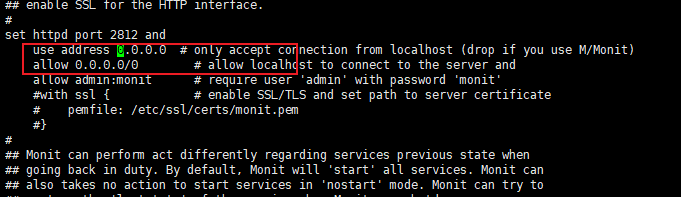
set httpd port 2812 and
    use address 0.0.0.0  # 监听所有网络接口
    allow 0.0.0.0/0      # 允许所有 IP 访问(生产环境建议限制 IP 段)
    allow admin:password # 设置访问用户名密码
修改一下: 允许访问的ip 和 use address
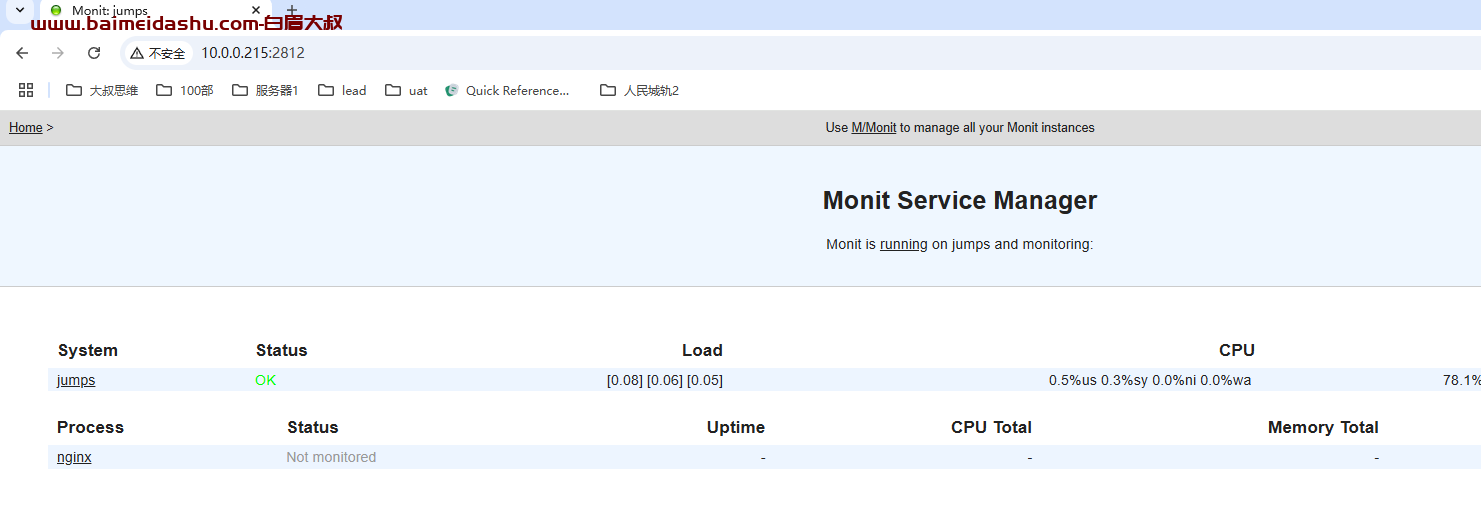
3-访问:
3-nginx 监控
编辑配置文件 /etc/monit.d/nginx (名字随意):
check process nginx with pidfile /var/run/nginx.pid
    # 启动和停止命令 (根据你的系统初始化方式选择)
    #start program = "/usr/sbin/service nginx start" # Ubuntu/Debian
    start program = "/usr/bin/systemctl start nginx" # 如果使用 systemd
    #stop program = "/usr/sbin/service nginx stop"    # Ubuntu/Debian
    stop program = "/usr/bin/systemctl stop nginx" # 如果使用 systemd

    # 核心检查:不仅检查进程,还要检查端口响应
    if failed host 127.0.0.1 port 60081 protocol http then restart

    # SSL 端口检查 (如果启用了HTTPS)
    # if failed host 127.0.0.1 port 443 protocol https then restart

    # 资源监控:防止资源耗尽导致的假死
    if cpu > 90% for 3 cycles then alert
    if totalmem > 500 MB for 5 cycles then restart

    # 安全机制:防止频繁崩溃导致的无限重启风暴
    if 3 restarts within 5 cycles then timeout
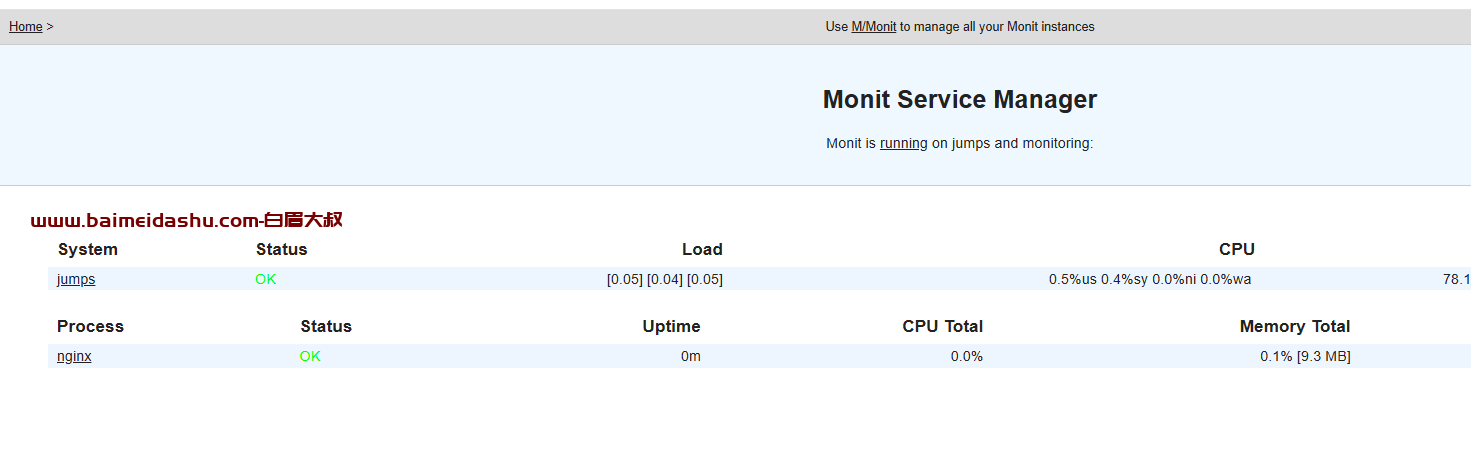
如果nginx 监控失败,需要重启一下nginx 才可以生效
状态冲突(僵尸监控):Monit 认为 Nginx 没有运行(可能是因为上次非正常关闭,Monit 没收到信号),所以它尝试执行 systemctl start nginx。
端口占用(罪魁祸首):实际上 Nginx 进程(PID 45675)已经在运行,并占用了 60081 端口。当 Monit 尝试启动一个新的 Nginx 实例时,新实例因为无法绑定到已被占用的 60081 端口而启动失败。Monit 启动脚本卡在“等待响应”阶段,导致状态显示为“start pending”。
欢迎来撩 : 汇总all